+91 9898181101
 +1 (647) 971-4687
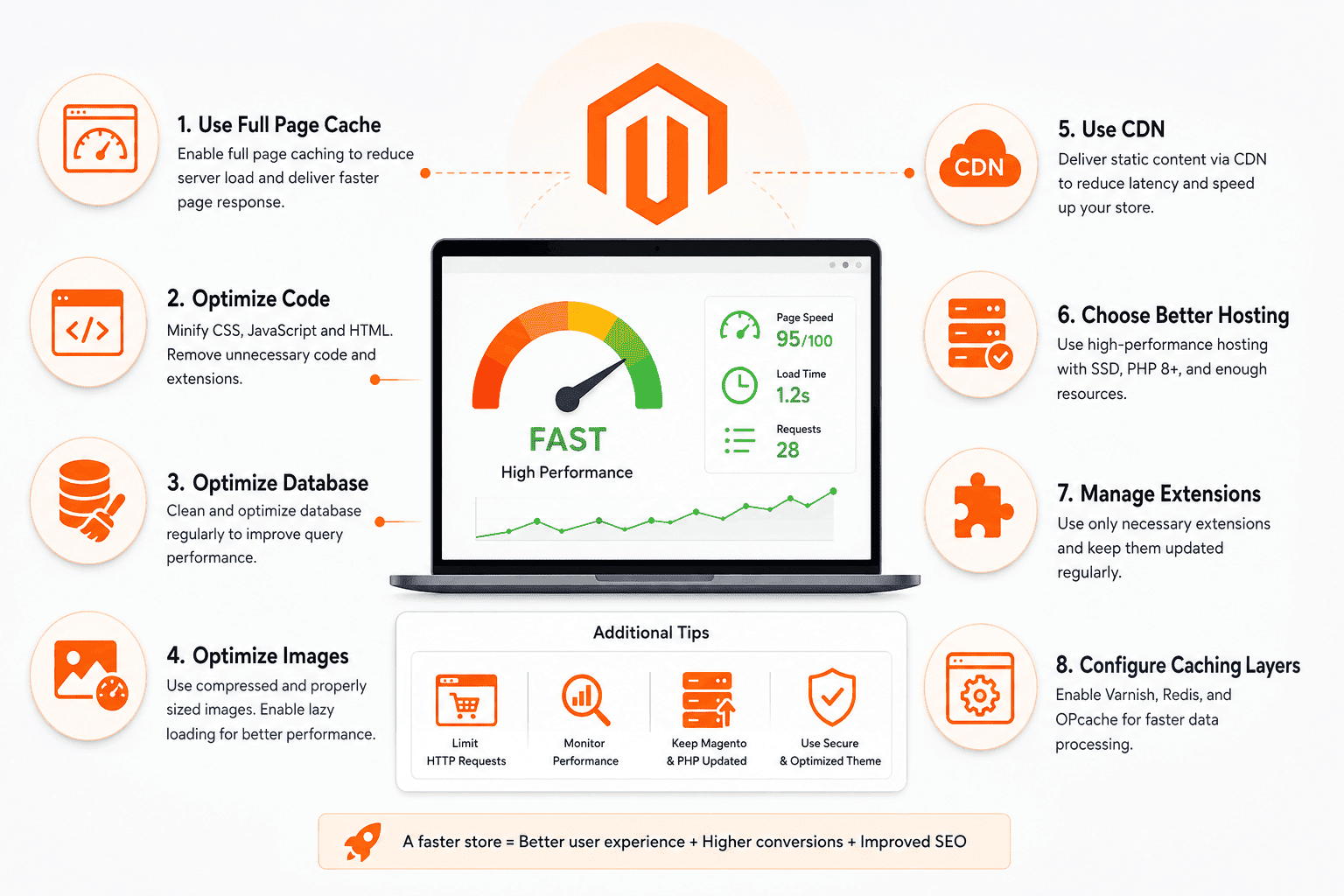
How to Improve Magento Store Performance
In today’s highly competitive eCommerce market, website performance has become one of the most important factors affecting online business success. Customers expect online stores to load quickly, respond instantly, and provide a smooth shopping experience across all devices. When a Magento store is slow, visitors often leave before completing their purchases, leading to lower conversion rates and lost revenue. This makes performance optimization a critical priority for business owners using Magento.
Magento is known for its flexibility, scalability, and powerful eCommerce capabilities. It is widely used by medium-sized businesses and large enterprises because it can handle extensive product catalogs, complex customer journeys, and advanced customizations. However, these powerful features can also make Magento resource-intensive if not properly optimized. Without regular maintenance and performance improvements, even well-designed Magento stores can experience slow loading times.
Improving Magento store performance is not just a technical task. It directly impacts customer satisfaction, search engine rankings, conversion rates, and overall business growth. A faster website creates a better user experience, encourages customers to explore more products, and increases the likelihood of completing purchases. Businesses seeking professional Magento development services can implement proven optimization techniques to maximize store performance.
Why Magento Store Performance Matters
Website speed plays a major role in shaping customer impressions. When visitors arrive at an online store, they immediately judge its quality based on how quickly pages load and how smoothly they can navigate. A delay of just a few seconds can cause frustration and encourage users to visit competitors instead.
Search engines also consider page speed when ranking websites. Following Google’s PageSpeed recommendations helps improve website visibility and supports better SEO performance.

Performance is even more critical for mobile users because they often browse using slower internet connections. Fast-loading pages improve engagement, reduce bounce rates, and build customer trust.
Optimize Your Magento Hosting Environment
Hosting forms the foundation of Magento performance. Dedicated or cloud hosting provides greater processing power, scalability, and stability than shared hosting. Selecting servers close to your target audience also improves loading speed.
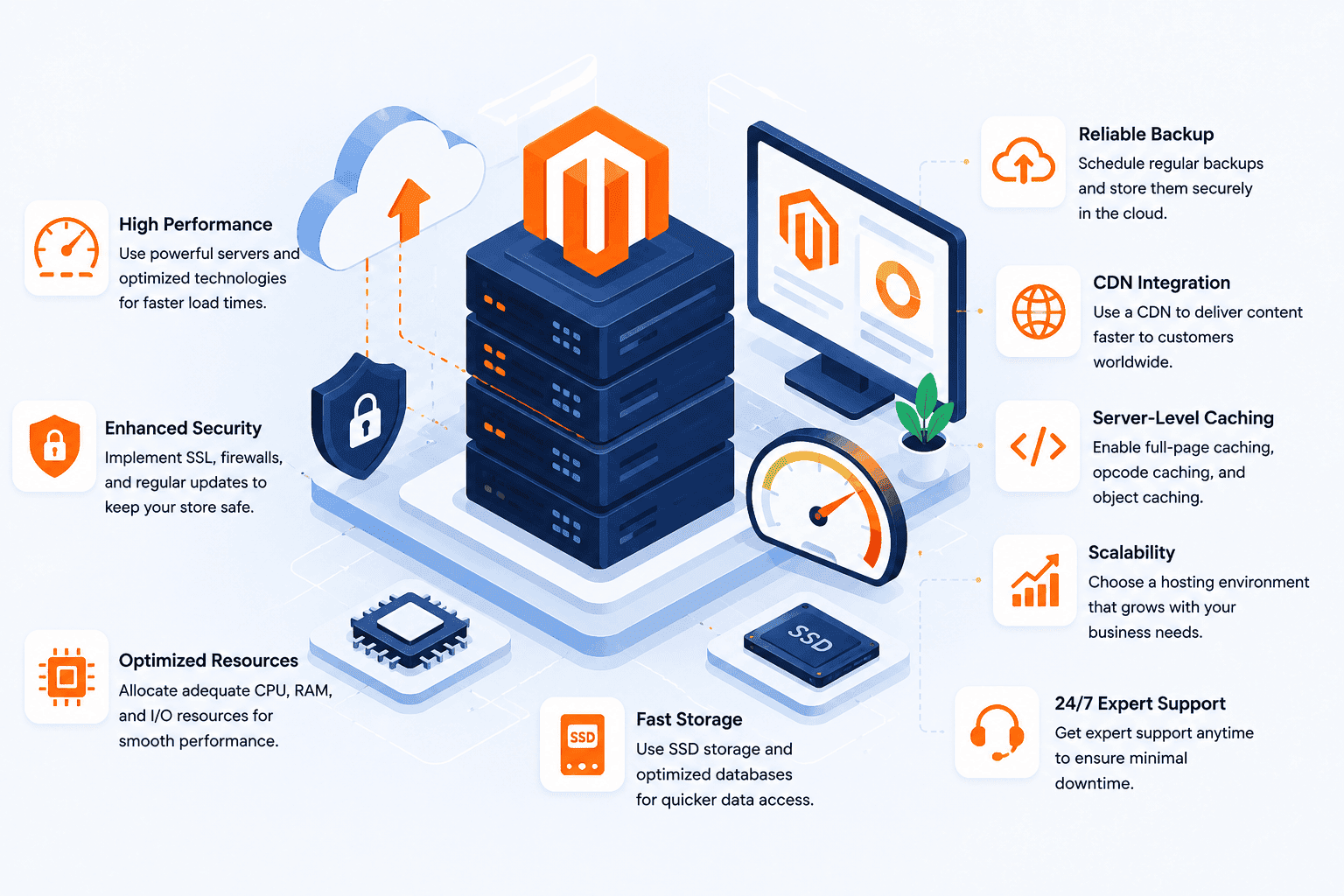
Regular server monitoring helps detect performance bottlenecks before they affect customer experience.
Improve Magento Cache Configuration
Proper cache configuration reduces repeated server processing and allows pages to load much faster.
Best Cache Optimization Practices
- Enable all recommended Magento cache types.
- Monitor cache performance regularly.
- Refresh cache after major website updates.
- Implement full-page caching solutions.
Streamline Third-Party Integrations
Every third-party extension adds additional server requests. Remove unnecessary extensions and choose high-quality integrations that are regularly maintained.
Strengthen Database Efficiency
Routine database cleanup, proper indexing, and ongoing optimization improve query performance and ensure smooth store operations.
Enhance Product Media Efficiency
Optimized product media reduces loading time while maintaining excellent image quality.
Recommended Media Optimization Methods
- Compress images before uploading.
- Use modern image formats.
- Limit autoplay videos.
- Enable lazy loading for product galleries.

Leverage a Content Delivery Network (CDN)
A Content Delivery Network distributes website files across multiple global servers, reducing latency and improving page loading speed. Learn more about how a CDN works and how it enhances Magento performance.
Minimize JavaScript and CSS Files
Reducing the number and size of JavaScript and CSS files minimizes server requests and improves loading speed.
Best Practices
- Combine and minify CSS and JavaScript files.
- Remove unused scripts.
- Audit custom code regularly.
- Monitor performance after every optimization.
Keep Magento Updated
Magento updates include important security patches, performance enhancements, and bug fixes. Always test updates in a staging environment before deploying them to a live store.
Key Factors That Influence Magento Store Performance
- Hosting infrastructure quality.
- Extension management.
- Database optimization.
- Image optimization.
- Caching configuration.
- Content Delivery Network implementation.
- Magento version updates.
Common Magento Performance Mistakes to Avoid
- Installing too many extensions.
- Ignoring image optimization.
- Skipping database maintenance.
- Using poor-quality hosting.
- Delaying Magento updates.
- Ignoring cache optimization.
The Future of Magento Performance Optimization
Artificial intelligence, cloud infrastructure, Progressive Web Applications (PWAs), advanced caching, and smarter CDN technologies will continue shaping Magento performance optimization. Businesses that stay updated with these innovations will deliver faster, more reliable shopping experiences.
Conclusion
Magento performance optimization is an ongoing process that combines hosting improvements, database optimization, media compression, caching, CDN implementation, and regular updates. Businesses that continuously monitor and optimize their stores achieve better search visibility, improved customer satisfaction, higher conversion rates, and sustainable long-term growth.