+91 9898181101
 +1 (647) 971-4687
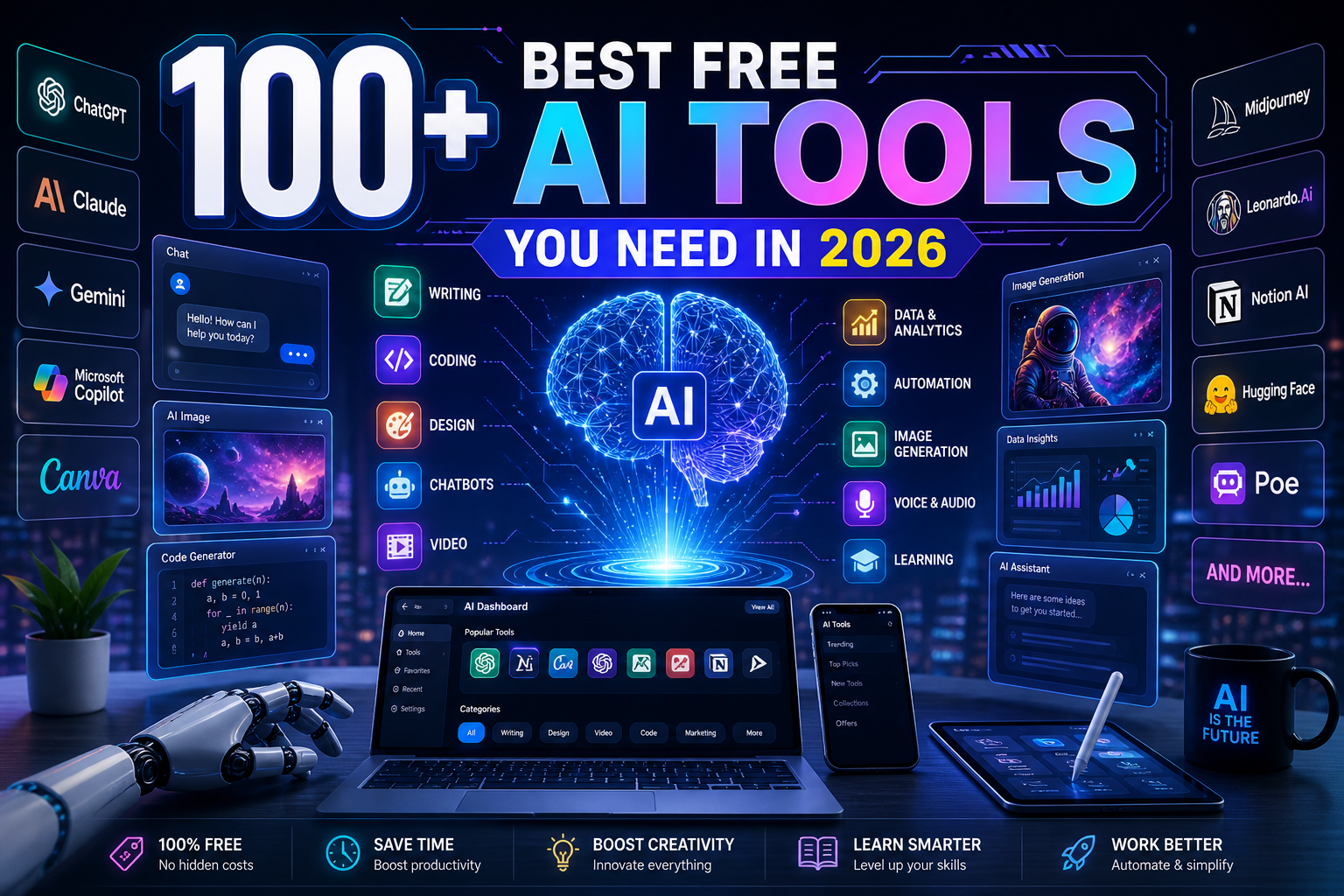
Best Free AI Tools You Need in 2026
We therefore made the decision to spare you the hassle. More than 100 free AI tools that we have personally investigated, utilized, or saved for later are included in this carefully curated list (let’s face it, we all have an expanding “AI tools” folder).
There is something here for you whether you’re attempting to work more efficiently, create presentation decks, edit movies, write blog articles, or analyze data.
What matters most? We looked at more than simply the most widely used AI tools. We examined what is genuinely helpful. Tools that help you do more in less time, without needing a handbook to get started.
But just so you know, not all of them are necessary. Starting with one or two that fit your objectives is crucial. Scale up from there once you’re at ease. Are you prepared to take a free look at the future? Come on.
Table of Contents:
Looking to jump to a specific section? Just click on the links below.
- AI Assistants / Chatbots
- Writing Assistants
- Image Generators
- Video Generators (AI Video Tools)
- Text-to-Speech (TTS) & Voice Cloning Tools
- Productivity & Automation Tools
- eCommerce AI Tools
- Coding & Development Tools
- Research & Data Analysis Tools
- Learning & Education
- Social Media & Marketing Tools
- Presentation & Design Tools
- Business & Workspace Suites
- What is the Best Free AI Tool to Create Presentations
- What Is the Best Free AI Tool to Create Images?
- Which AI Tool Is Best for Coding Free?
- Which AI Tool Is Best for Resume Making Free?
How We Chose the Best Free AI Tools
To be honest, not all AI tools are worth your time. Therefore, we didn’t simply compile a list at random. To cut through the clutter and present you with only the true treasures, we used five essential criteria:
- Usefulness in the real world: It didn’t make the cut if it didn’t address a real issue. We concentrated on technologies that improve your ability to create, automate, or think.
- Availability of free plans: Each tool on our site provides a functional free plan rather than a glorified demo. We made sure it’s still worthwhile without a paid upgrade, whether it’s full access with usage caps or unlimited access with restricted features.
- Usability: There isn’t a significant learning curve in this case. There are tools that are easy to use for beginners, with quick onboarding and clear interfaces.
- Reputation and user feedback: We examined the opinions of real people. Testimonials, case studies, reviews, and social media buzz all assisted in separating the useful from the hype.
- Innovation and originality: Lastly, we awarded extra points to tools that are really noteworthy. We searched for original concepts, deft executions, and exceptional problem-solving skills rather than just another ChatGPT clone.
In this manner, you receive a list that is well-curated, tidy, and genuinely worth looking through.
Best Free AI Tools You Can Use to Boost Workflow
You may write more quickly, create better designs, conduct more intelligent research, and even automate tedious chores with the aid of these free AI tools. No price. Not a fuss. Simply amazing productivity. Now let’s get started.
AI Assistants / Chatbots
Do you need a virtual assistant to help with chores, respond to inquiries, or simply make your life easier? Your time and sanity will be saved by these chatbots and AI assistants.
1. ChatGPT
ChatGPT is an AI-powered chatbot developed by OpenAI that helps with writing, coding, research, and everyday tasks. It is widely used because of its versatility and ability to generate human-like responses.
Key features of ChatGPT:
- Handles a wide range of tasks including writing, coding, and brainstorming.
- Provides conversational responses that feel natural.
- Supports file analysis, summaries, and content generation.
- Accessible via web, mobile apps, and integrations.
- Free plan available with usage limits.
2. Claude
Claude is an AI assistant created by Anthropic that focuses on safe, reliable, and high-quality responses. It is especially strong in long-form writing and reasoning tasks.
Key features of Claude:
- Produces detailed and long-form content.
- Handles complex reasoning and coding tasks.
- Designed with a strong focus on safety and ethics.
- Supports document analysis and structured outputs.
- Free tier available with daily limits.
3. Gemini
Gemini is Google’s AI assistant that combines advanced language capabilities with real-time data and integration across Google services. It is useful for research, productivity, and content generation.
Key features of Gemini:
- Integrates with Google Workspace tools like Docs and Gmail.
- Supports text, image, and data-based queries.
- Provides real-time information using Google search.
- Helps with writing, summarization, and productivity tasks.
- Free version available with optional upgrades.
4. Perplexity AI
Perplexity AI is an AI-powered search tool that provides direct answers along with sources, making it highly useful for research and fact-checking.
Key features of Perplexity AI:
- Provides answers with source citations.
- Works as a conversational search engine.
- Delivers real-time information from the web.
- Simple and easy-to-use interface.
- Free plan available with limited advanced queries.
5. Microsoft Copilot
Microsoft Copilot is an AI assistant integrated into Microsoft products, helping users automate tasks, create content, and improve productivity.
Key features of Microsoft Copilot:
- Works within Microsoft tools like Word, Excel, and Edge.
- Helps with document creation and data analysis.
- Provides AI-powered search and suggestions.
- Supports automation and productivity workflows.
- Free version available with premium features.
6. Grok
Grok is an AI chatbot developed by xAI and integrated with the X platform, offering real-time insights and conversational responses.
Key features of Grok:
- Access to real-time information from social data.
- Conversational and engaging responses.
- Integrated with the X (Twitter) platform.
- Supports general queries and trending topics.
- Available to X premium users.
7. Poe
Poe is a platform by Quora that allows users to interact with multiple AI models in one place for different tasks.
Key features of Poe:
- Access to multiple AI chatbots in one interface.
- Supports custom bot creation.
- Fast and responsive conversations.
- Useful for learning and experimentation.
- Free plan available with limits.
8. YouChat
YouChat is an AI-powered search assistant that combines traditional search with conversational responses.
Key features of YouChat:
- Provides AI-generated answers alongside search results.
- Supports coding and writing tasks.
- Delivers quick and relevant responses.
- Integrated within You.com search engine.
- Free to use.
9. Pi AI
Pi AI is a personal AI assistant designed for natural conversations, emotional support, and everyday guidance.
Key features of Pi AI:
- Focuses on friendly and supportive conversations.
- Designed for personal assistance and reflection.
- Simple and clean interface.
- Provides thoughtful and human-like replies.
- Free to use.
10. Character AI
Character AI allows users to chat with AI-generated personalities for entertainment, storytelling, and role-playing.
Key features of Character AI:
- Interact with customizable AI characters.
- Supports storytelling and role-play scenarios.
- Wide range of community-created bots.
- Engaging and creative conversations.
- Free version available.
11. Jasper
Jasper is an AI writing assistant focused on marketing content, blog posts, and brand messaging.
Key features of Jasper:
- Creates marketing and long-form content.
- Supports brand voice customization.
- Offers templates for various use cases.
- Useful for teams and businesses.
- Free trial available.
12. Copy.ai
Copy.ai is a tool designed to generate marketing copy, emails, and social media content quickly.
Key features of Copy.ai:
- Generates marketing and ad copy.
- Supports multiple content formats.
- Easy-to-use interface.
- Helpful for startups and marketers.
- Free plan available.
13. Writesonic
Writesonic is an AI content generator for blogs, ads, landing pages, and product descriptions.
Key features of Writesonic:
- Creates SEO-friendly articles and content.
- Supports chatbot and AI writing tools.
- Includes templates for various needs.
- Fast content generation.
- Free trial available.
14. Rytr
Rytr is a simple AI writing tool that helps create content quickly for blogs, emails, and ads.
Key features of Rytr:
- Generates short-form content efficiently.
- Supports multiple tones and languages.
- Budget-friendly option.
- Easy to use for beginners.
- Free plan available.
15. QuillBot
QuillBot is an AI paraphrasing and summarization tool used to improve and refine written content.
Key features of QuillBot:
- Paraphrases text effectively.
- Includes grammar and summarization tools.
- Supports multiple writing modes.
- Useful for students and professionals.
- Free version available.
16. Grammarly
Grammarly is an AI writing assistant that helps improve grammar, clarity, and tone in written communication.
Key features of Grammarly:
- Provides grammar and spelling corrections.
- Improves clarity and tone.
- Works across browsers and apps.
- Offers writing suggestions in real time.
- Free version available.
17. Wordtune
Wordtune helps rewrite and refine sentences to improve clarity and readability.
Key features of Wordtune:
- Rewrites sentences for better clarity.
- Offers tone adjustments.
- Improves readability instantly.
- Works as a browser extension.
- Free plan available.
18. Sudowrite
Sudowrite is an AI writing tool built for fiction writers, helping with storytelling and creative ideas.
Key features of Sudowrite:
- Supports creative storytelling.
- Generates ideas and plot suggestions.
- Helps overcome writer’s block.
- Designed for novelists and writers.
- Free trial available.
19. INK AI
INK AI is an AI-powered writing and SEO optimization tool for creating high-ranking content.
Key features of INK AI:
- Optimizes content for SEO.
- Provides keyword suggestions.
- Helps improve content ranking.
- Combines writing and SEO tools.
- Free plan available.
20. Hypotenuse AI
Hypotenuse AI helps generate product descriptions, blog content, and marketing copy for businesses.
Key features of Hypotenuse AI:
- Generates eCommerce product descriptions.
- Creates blog and marketing content.
- Supports bulk content generation.
- Easy-to-use interface.
- Free trial available.
21. Midjourney
Midjourney is an AI image generation tool that creates high-quality artistic visuals from text prompts.
Key features of Midjourney:
- Generates detailed and artistic images.
- Works via Discord interface.
- Popular among designers and creators.
- Supports various art styles.
- Free trial available.
22. DALL·E
DALL·E is an AI model by OpenAI that generates images from textual descriptions.
Key features of DALL·E:
- Creates images from text prompts.
- Supports editing and variations.
- Produces realistic and creative visuals.
- Integrated with various platforms.
- Free credits available.
23. Leonardo AI
Leonardo AI is a platform for generating game assets, illustrations, and creative visuals using AI.
Key features of Leonardo AI:
- Generates high-quality game assets.
- Offers fine-tuned models for design.
- Supports customization and control.
- Popular among game developers.
- Free plan available.
24. Playground AI
Playground AI is an easy-to-use platform for generating and editing AI images.
Key features of Playground AI:
- Generates and edits images easily.
- Supports Stable Diffusion models.
- Offers various customization options.
- Beginner-friendly interface.
- Free version available.
25. DreamStudio
DreamStudio is an official interface for Stable Diffusion, allowing users to generate images with AI.
Key features of DreamStudio:
- Powered by Stable Diffusion.
- High-quality image generation.
- Flexible prompt control.
- Supports multiple styles.
- Free credits available.
26. BlueWillow
BlueWillow is a free AI image generator that creates visuals based on user prompts.
Key features of BlueWillow:
- Generates images from text prompts.
- Accessible via Discord.
- Simple and beginner-friendly.
- Supports various creative styles.
- Free to use.
27. Craiyon
Craiyon is a simple AI image generator that creates quick visuals from text prompts.
Key features of Craiyon:
- Fast image generation.
- Easy-to-use interface.
- No sign-up required.
- Great for quick ideas.
- Free to use.
28. NightCafe
NightCafe is an AI art generator that allows users to create unique artworks in different styles.
Key features of NightCafe:
- Supports multiple art styles.
- Community-based platform.
- High-quality image generation.
- Offers daily free credits.
- Easy to use.
29. Deep Dream Generator
Deep Dream Generator creates surreal and artistic images using neural networks.
Key features of Deep Dream Generator:
- Produces unique artistic visuals.
- Uses neural network-based styles.
- Supports image transformations.
- Creative and experimental output.
- Free version available.
30. Artbreeder
Artbreeder allows users to create and modify images by blending different visual elements.
Key features of Artbreeder:
- Blend and modify images easily.
- Adjust facial and visual features.
- Creative and experimental tool.
- Used for portraits and art.
- Free plan available.
31. Canva AI
Canva AI enhances design workflows with AI-powered tools for graphics, presentations, and content creation.
Key features of Canva AI:
- AI-powered design suggestions.
- Drag-and-drop interface.
- Supports presentations and social media designs.
- Beginner-friendly platform.
- Free plan available.
32. Adobe Firefly
Adobe Firefly is an AI tool for generating images, text effects, and creative designs.
Key features of Adobe Firefly:
- Creates text effects and images.
- Integrates with Adobe tools.
- High-quality design output.
- Supports creative workflows.
- Free credits available.
33. Looka
Looka is an AI-powered logo maker that helps businesses create brand identities quickly.
Key features of Looka:
- Generates logos automatically.
- Offers branding kits.
- Easy customization options.
- Suitable for startups.
- Free preview available.
34. Designs.ai
Designs.ai is a creative platform offering AI tools for logos, videos, and marketing materials.
Key features of Designs.ai:
- All-in-one creative toolkit.
- Generates logos and videos.
- Easy-to-use interface.
- Suitable for marketers.
- Free trial available.
35. Khroma
Khroma is an AI color tool that generates personalized color palettes for designers.
Key features of Khroma:
- Generates color palettes.
- Learns user preferences.
- Useful for designers.
- Simple interface.
- Free to use.
36. Uizard
Uizard is an AI design tool that converts ideas into UI/UX mockups and prototypes.
Key features of Uizard:
- Creates UI mockups quickly.
- Converts sketches into designs.
- Beginner-friendly tool.
- Supports prototyping.
- Free plan available.
37. Visme
Visme is a design platform that helps create presentations, infographics, and visual content.
Key features of Visme:
- Creates presentations and infographics.
- Offers templates and design tools.
- Supports collaboration.
- Easy to use.
- Free plan available.
38. AutoDraw
AutoDraw is a simple AI drawing tool that converts sketches into polished illustrations.
Key features of AutoDraw:
- Transforms rough sketches into drawings.
- Easy to use for beginners.
- Fast and lightweight.
- Web-based tool.
- Free to use.
39. Remove.bg
Remove.bg is an AI tool that removes image backgrounds automatically in seconds.
Key features of Remove.bg:
- Removes backgrounds instantly.
- High-quality output.
- Supports batch processing.
- Easy drag-and-drop interface.
- Free version available.
40. Cleanup.pictures
Cleanup.pictures is an AI tool that removes unwanted objects from images seamlessly.
Key features of Cleanup.pictures:
- Removes objects from photos.
- Simple editing interface.
- Fast processing.
- Useful for designers and photographers.
- Free plan available.
41. Runway ML
Runway ML is an AI-powered creative suite for video editing, generation, and visual effects.
Key features of Runway ML:
- AI video editing tools.
- Generates videos from text.
- Supports visual effects and motion tracking.
- Cloud-based platform.
- Free plan available.
42. Pictory
Pictory is an AI tool that converts text and articles into engaging videos.
Key features of Pictory:
- Turns blogs into videos.
- Auto-generates captions.
- Includes stock footage.
- Easy video editing.
- Free trial available.
43. Lumen5
Lumen5 is an AI video creation platform for marketing and social media content.
Key features of Lumen5:
- Converts text into videos.
- Drag-and-drop editor.
- Built-in media library.
- Brand customization.
- Free plan available.
44. Synthesia
Synthesia allows users to create AI avatar videos for training and marketing.
Key features of Synthesia:
- AI-generated avatars.
- Supports multiple languages.
- No camera required.
- Professional video output.
- Free demo available.
45. HeyGen
HeyGen is an AI video generator that creates talking avatar videos easily.
Key features of HeyGen:
- AI talking avatars.
- Text-to-video generation.
- Supports multiple languages.
- Easy editing tools.
- Free trial available.
46. Descript
Descript is an AI-powered audio and video editing tool that works through text editing.
Key features of Descript:
- Edit media like a document.
- Automatic transcription.
- Screen recording support.
- Voice cloning features.
- Free plan available.
47. Kapwing
Kapwing is an online AI video editor for creating and editing content quickly.
Key features of Kapwing:
- Online video editing tools.
- Auto subtitles and captions.
- Collaboration features.
- Supports multiple formats.
- Free version available.
48. InVideo AI
InVideo AI helps create videos automatically from text prompts.
Key features of InVideo AI:
- Text-to-video creation.
- Pre-built templates.
- Stock media library.
- Easy customization.
- Free plan available.
49. VEED.IO
VEED.IO is an AI-powered video editor for creating professional videos online.
Key features of VEED.IO:
- Online video editing.
- Auto subtitles.
- Screen recording.
- Easy interface.
- Free plan available.
50. FlexClip
FlexClip is an AI video maker for creating marketing and social media videos.
Key features of FlexClip:
- Easy video creation.
- Templates and stock assets.
- Text-to-video tools.
- Beginner-friendly.
- Free version available.
51. ElevenLabs
ElevenLabs is an AI voice generation tool known for producing realistic and natural-sounding speech.
Key features of ElevenLabs:
- High-quality voice synthesis.
- Supports voice cloning.
- Multiple language support.
- Useful for audiobooks and narration.
- Free plan available.
52. Murf AI
Murf AI is a text-to-speech platform that creates professional voiceovers for videos and presentations.
Key features of Murf AI:
- Studio-quality voiceovers.
- Multiple voice styles.
- Easy editing interface.
- Supports presentations and videos.
- Free trial available.
53. Speechify
Speechify converts text into audio, helping users listen to documents, articles, and books.
Key features of Speechify:
- Converts text to speech.
- Multiple voice options.
- Supports documents and PDFs.
- Available on mobile and web.
- Free plan available.
54. PlayHT
PlayHT is an AI voice generator that converts text into realistic speech for various use cases.
Key features of PlayHT:
- Realistic text-to-speech voices.
- Supports multiple languages.
- Voice cloning capability.
- API integration available.
- Free plan available.
55. Resemble AI
Resemble AI allows users to create custom AI voices for applications and media.
Key features of Resemble AI:
- Custom voice creation.
- Real-time voice generation.
- API support for developers.
- Voice cloning tools.
- Free trial available.
56. Voicemod
Voicemod is an AI voice changer that allows users to modify their voice in real time.
Key features of Voicemod:
- Real-time voice effects.
- Works with games and streaming apps.
- Custom voice filters.
- Easy setup.
- Free version available.
57. Audo.ai
Audo.ai improves audio quality by removing noise and enhancing clarity.
Key features of Audo.ai:
- Noise reduction.
- Enhances voice clarity.
- Simple interface.
- Fast processing.
- Free plan available.
58. Soundraw
Soundraw is an AI music generator that creates royalty-free tracks for content creators.
Key features of Soundraw:
- Generates custom music tracks.
- Adjust mood and style.
- Royalty-free usage.
- Easy customization.
- Free trial available.
59. Beatoven
Beatoven is an AI music generator that creates background music for videos and podcasts.
Key features of Beatoven:
- AI-generated background music.
- Customizable tracks.
- Supports multiple moods.
- Easy export options.
- Free plan available.
60. Cleanvoice
Cleanvoice is an AI audio tool that removes filler words and improves recordings automatically.
Key features of Cleanvoice:
- Removes filler words like “um” and “uh”.
- Improves audio quality.
- Supports podcast editing.
- Automated processing.
- Free trial available.
61. GitHub Copilot
GitHub Copilot is an AI coding assistant that helps developers write code faster and more efficiently.
Key features of GitHub Copilot:
- Auto-completes code in real time.
- Supports multiple programming languages.
- Integrates with popular IDEs.
- Improves developer productivity.
- Free for students and trials available.
62. Codeium
Codeium is a free AI-powered coding assistant that provides code suggestions and completions.
Key features of Codeium:
- Free AI code completion.
- Supports multiple languages.
- Works with many IDEs.
- Fast and lightweight.
- No cost for individual users.
63. Tabnine
Tabnine is an AI coding tool that offers smart code completions based on context.
Key features of Tabnine:
- Context-aware code suggestions.
- Supports many programming languages.
- Works offline with local models.
- Integrates with IDEs.
- Free plan available.
64. Replit Ghostwriter
Replit Ghostwriter is an AI coding assistant built into the Replit development environment.
Key features of Replit Ghostwriter:
- Integrated coding AI.
- Real-time code suggestions.
- Supports debugging.
- Cloud-based environment.
- Free tier available.
65. Amazon CodeWhisperer
Amazon CodeWhisperer is an AI coding companion that helps developers generate secure code.
Key features of Amazon CodeWhisperer:
- Generates code suggestions.
- Focuses on security best practices.
- Integrates with AWS tools.
- Supports multiple languages.
- Free for individual users.
66. MutableAI
MutableAI helps developers refactor and generate code efficiently using AI.
Key features of MutableAI:
- Code refactoring assistance.
- Generates clean code.
- Improves code quality.
- Supports multiple languages.
- Free trial available.
67. AskCodi
AskCodi is an AI assistant designed to help developers write and understand code.
Key features of AskCodi:
- Generates code snippets.
- Explains complex code.
- Supports multiple languages.
- Improves productivity.
- Free plan available.
68. Blackbox AI
Blackbox AI is a tool that helps developers find and generate code quickly.
Key features of Blackbox AI:
- Searches code snippets.
- Generates code automatically.
- Supports multiple languages.
- Browser extension available.
- Free plan available.
69. CodiumAI
CodiumAI helps developers write better tests and improve code quality.
Key features of CodiumAI:
- Generates test cases.
- Improves code reliability.
- Supports multiple languages.
- Integrates with IDEs.
- Free plan available.
70. Figstack
Figstack is an AI tool that helps developers understand and document code.
Key features of Figstack:
- Explains code in simple terms.
- Generates documentation.
- Supports multiple languages.
- Improves learning.
- Free plan available.
71. Notion AI
Notion AI enhances productivity by adding AI capabilities to note-taking and workspace management.
Key features of Notion AI:
- Summarizes notes and documents.
- Generates content inside workspace.
- Improves productivity workflows.
- Easy collaboration.
- Free plan available.
72. ClickUp AI
ClickUp AI helps manage tasks, projects, and workflows with AI assistance.
Key features of ClickUp AI:
- Task automation.
- AI writing assistant.
- Project management tools.
- Collaboration features.
- Free plan available.
73. Mem AI
Mem AI is a smart note-taking tool that organizes information automatically.
Key features of Mem AI:
- Smart note organization.
- AI-powered search.
- Simple interface.
- Sync across devices.
- Free plan available.
74. Tome
Tome is an AI storytelling and presentation tool for creating engaging slides.
Key features of Tome:
- Generates presentations.
- AI storytelling features.
- Modern design templates.
- Easy to use.
- Free plan available.
75. Gamma
Gamma is an AI tool that creates presentations, documents, and web pages quickly.
Key features of Gamma:
- Creates slides instantly.
- Clean design layouts.
- Easy sharing options.
- Modern UI.
- Free plan available.
76. Beautiful.ai
Beautiful.ai is an AI presentation tool that helps design professional slides.
Key features of Beautiful.ai:
- Smart slide design.
- Auto layout adjustments.
- Professional templates.
- Easy customization.
- Free trial available.
77. Taskade
Taskade is an AI productivity tool for managing tasks, notes, and collaboration.
Key features of Taskade:
- Task and project management.
- AI writing assistant.
- Collaboration tools.
- Cross-platform support.
- Free plan available.
78. Fireflies.ai
Fireflies.ai records, transcribes, and summarizes meetings automatically.
Key features of Fireflies.ai:
- Meeting transcription.
- Auto summaries.
- Integrates with meeting tools.
- Searchable conversations.
- Free plan available.
79. Otter.ai
Otter.ai is a transcription tool that converts speech into text in real time.
Key features of Otter.ai:
- Real-time transcription.
- Meeting notes generation.
- Speaker identification.
- Cloud storage.
- Free plan available.
80. Supernormal
Supernormal is an AI meeting assistant that generates notes and summaries automatically.
Key features of Supernormal:
- Auto meeting notes.
- Integration with tools.
- Time-saving automation.
- Easy sharing.
- Free plan available.
81. Durable
Durable is an AI website builder that creates complete websites in minutes.
Key features of Durable:
- Instant website creation.
- AI-generated content.
- Customizable templates.
- Hosting included.
- Free trial available.
82. Framer AI
Framer AI helps design and build websites using AI-generated layouts.
Key features of Framer AI:
- AI website generation.
- Modern design tools.
- Drag-and-drop editor.
- Responsive layouts.
- Free plan available.
83. 10Web
10Web is an AI platform that helps build and manage WordPress websites.
Key features of 10Web:
- AI website builder.
- WordPress integration.
- Hosting included.
- Automated backups.
- Free trial available.
84. Wix AI
Wix AI helps users create websites easily using artificial intelligence.
Key features of Wix AI:
- AI site builder.
- Custom design options.
- Drag-and-drop editor.
- SEO tools included.
- Free plan available.
85. Bookmark AI
Bookmark AI is a website builder that uses AI to design websites quickly.
Key features of Bookmark AI:
- AI website creation.
- Easy customization.
- Hosting included.
- Responsive design.
- Free plan available.
86. Hostinger AI Builder
Hostinger AI Builder helps users create websites quickly with AI assistance.
Key features of Hostinger AI Builder:
- AI-generated websites.
- Fast setup.
- Affordable hosting.
- Custom templates.
- Free trial available.
87. Zyro AI
Zyro AI provides tools for building websites and generating content using AI.
Key features of Zyro AI:
- AI website builder.
- Content generation tools.
- Easy setup.
- Affordable plans.
- Free trial available.
88. Webflow AI
Webflow AI enhances web design workflows with AI-powered features.
Key features of Webflow AI:
- Visual website design.
- AI content assistance.
- Responsive layouts.
- CMS integration.
- Free plan available.
89. Builder.ai
Builder.ai helps users build apps and websites without coding.
Key features of Builder.ai:
- No-code app builder.
- AI-assisted development.
- Custom features.
- Easy deployment.
- Free consultation available.
90. TeleportHQ
TeleportHQ is an AI-powered UI builder for creating responsive websites.
Key features of TeleportHQ:
- Visual UI builder.
- Responsive design tools.
- Code export options.
- Collaboration features.
- Free plan available.
91. Durable CRM
Durable CRM is an AI-powered customer management tool for small businesses.
Key features of Durable CRM:
- Customer management tools.
- AI automation.
- Simple interface.
- Business insights.
- Free plan available.
92. Scalenut
Scalenut is an AI-powered SEO and content marketing platform.
Key features of Scalenut:
- SEO content creation.
- Keyword research tools.
- AI writing assistant.
- Content optimization.
- Free trial available.
93. Surfer SEO
Surfer SEO helps optimize content for better search engine rankings.
Key features of Surfer SEO:
- SEO optimization tools.
- Content editor.
- Keyword suggestions.
- Competitor analysis.
- Free trial available.
94. Frase
Frase is an AI content tool that helps research, write, and optimize articles.
Key features of Frase:
- Content research tools.
- AI writing assistance.
- SEO optimization.
- Content briefs.
- Free trial available.
95. NeuronWriter
NeuronWriter is an AI writing tool focused on SEO content optimization.
Key features of NeuronWriter:
- SEO writing assistant.
- Content scoring.
- Keyword suggestions.
- Competitor analysis.
- Free trial available.
96. WriterZen
WriterZen is an AI SEO tool for keyword research and content creation.
Key features of WriterZen:
- Keyword research.
- Content creation tools.
- SEO optimization.
- Easy workflow.
- Free trial available.
97. Outranking
Outranking is an AI SEO platform for planning and writing optimized content.
Key features of Outranking:
- SEO content planning.
- AI writing tools.
- Optimization suggestions.
- Content scoring.
- Free trial available.
98. MarketMuse
MarketMuse is an AI tool for content planning and SEO optimization.
Key features of MarketMuse:
- Content planning tools.
- SEO optimization.
- Topic research.
- Content scoring.
- Free plan available.
99. Clearscope
Clearscope is an AI SEO tool that helps improve content relevance and ranking.
Key features of Clearscope:
- Content optimization.
- Keyword insights.
- SEO scoring.
- Easy integration.
- Free trial available.
100. GrowthBar
GrowthBar is an AI writing and SEO tool for bloggers and marketers.
Key features of GrowthBar:
- AI blog writing.
- SEO optimization.
- Keyword research.
- Competitor insights.
- Free trial available.
101. Buzzabout.ai
Buzzabout.ai helps you track conversations across the internet and analyze audience sentiment to improve your marketing strategy.
Key features of Buzzabout.ai:
- Spot viral topics early.
- Analyze competitor strategies.
- Monitor brand reputation.
- Track influencers and their audience.
- Create watchlists of accounts.
102. Durable
Durable is an AI website builder that lets you create a complete business website instantly.
Key features of Durable:
- Generate websites in seconds.
- AI-powered content creation.
- Built-in CRM tools.
- Customizable templates.
- Free trial available.
103. Recraft
Recraft is an AI design tool that creates high-quality vector graphics and illustrations.
Key features of Recraft:
- Generate editable vector images.
- Create icons and illustrations.
- Export in scalable formats.
- Supports branding consistency.
- Free plan available.
104. Cleanup.pictures
Cleanup.pictures is an AI tool that removes unwanted objects from images.
Key features of Cleanup.pictures:
- Erase objects from photos.
- Clean backgrounds easily.
- Simple brush interface.
- Fast processing.
- Free basic usage.
105. Palette.fm
Palette.fm colorizes black-and-white images using AI.
Key features of Palette.fm:
- Automatic image colorization.
- Multiple color styles.
- High-quality outputs.
- Quick processing.
- Free plan available.
106. Tome
Tome is an AI storytelling and presentation tool for creating engaging narratives.
Key features of Tome:
- Create AI-powered presentations.
- Generate stories from prompts.
- Embed multimedia content.
- Collaborate with teams.
- Free plan available.
107. Perplexity AI
Perplexity is an AI-powered research and search assistant with real-time web access.
Key features of Perplexity AI:
- Real-time search with citations.
- Summarizes information clearly.
- Conversational Q&A.
- Supports follow-up queries.
- Free plan available.
108. Pictory
Pictory converts text content into engaging videos automatically.
Key features of Pictory:
- Text-to-video generation.
- Auto captions and visuals.
- Video summarization.
- Stock media integration.
- Free trial available.
109. Synthesia
Synthesia lets you create videos with AI avatars and voiceovers.
Key features of Synthesia:
- AI-generated avatars.
- Text-to-video conversion.
- Supports multiple languages.
- Professional video output.
- Demo available.
110. Runway ML
Runway ML is an AI video editing and content creation platform.
Key features of Runway ML:
- AI video editing tools.
- Text-to-video generation.
- Background removal.
- Creative visual effects.
- Free plan available.
111. Looka
Looka is an AI-powered logo and branding tool.
Key features of Looka:
- Logo generation.
- Brand kit creation.
- Custom design options.
- High-resolution downloads.
- Free preview available.
112. Designs.ai
Designs.ai is an all-in-one AI creative suite.
Key features of Designs.ai:
- Create logos and videos.
- AI voice generation.
- Design templates.
- Easy editing tools.
- Free trial available.
113. Krisp
Krisp blocks background noise during calls using AI.
Key features of Krisp:
- AI noise suppression.
- Works with all calling apps.
- Improves voice clarity.
- Easy setup.
- Free tier available.
114. Fireflies.ai
Fireflies.ai records, transcribes, and summarizes meetings automatically.
Key features of Fireflies.ai:
- Meeting transcription.
- AI-generated summaries.
- Searchable notes.
- Integrations with tools.
- Free plan available.
115. Otter.ai
Otter.ai provides real-time transcription and meeting summaries.
Key features of Otter.ai:
- Real-time transcription.
- Meeting highlights.
- Searchable notes.
- 300 free minutes monthly.
- Easy sharing.
116. Taskade
Taskade is an AI-powered productivity and collaboration tool.
Key features of Taskade:
- Task management.
- Real-time collaboration.
- AI workflows.
- Cross-platform syncing.
- Free plan available.
117. Noty.ai
Noty.ai turns conversations into actionable tasks and summaries.
Key features of Noty.ai:
- Meeting summaries.
- Task extraction.
- Real-time insights.
- CRM integration.
- Free plan available.
118. Superhuman
Superhuman is an AI email client designed for speed and productivity.
Key features of Superhuman:
- Fast email management.
- Keyboard shortcuts.
- AI writing assistance.
- Email tracking.
- Free trial available.
119. Motion
Motion is an AI scheduling assistant that manages tasks and calendar automatically.
Key features of Motion:
- Smart scheduling.
- Task prioritization.
- Calendar automation.
- Deadline tracking.
- Free trial available.
120. Timely
Timely is an AI time tracking tool that records work automatically.
Key features of Timely:
- Automatic time tracking.
- Project tracking.
- Productivity insights.
- Team reporting.
- Free trial available.
121. Tability
Tability helps teams track goals and progress using AI-powered updates.
Key features of Tability:
- AI-driven goal tracking.
- Progress visualization.
- Team alignment.
- Performance insights.
- Free for small teams.
Things to Consider When Choosing an AI Tool for You
Before you get AI-happy and start signing up for everything, take a second to think about what you really need. Here’s what to keep in mind:
- Your objective is important: Do you want to produce better content? Spend less time on monotonous tasks? Make graphics without hiring a designer? Prioritize your needs over the tool.
- Learning curve: A few AI tools are incredibly easy to use. Others may require some prodding. To make the process easier, see if there is a tutorial or onboarding guide available.
- Data privacy: Make sure the tool is safe and open about how your data is used if you are entering sensitive information.
- Integration with the stack you currently have: Does it work well with the other tools you have? The greatest AI complements your workflow rather than interferes with it.
- Community and support: bugs do occur. There is confusion. When things go wrong, good tools typically feature live chat, an active community, or a help center to support you.
Fit is more important when selecting an AI tool than fancy features. Choose one that suits you rather than just the general public.
FAQ(s) on The Best Free AI Tools
What is the Best Free AI Tool to Create Presentations?
One of the best free AI tools for creating presentations is Beautiful.ai. It uses AI to help design slides quickly and make them look professional with minimal effort.
What Is the Best Free AI Tool to Create Images?
The best free AI tool to create images is DALL·E, which lets you generate high-quality images from simple text prompts.
Which AI Tool Is Best for Coding Free?
One of the best free AI tools for coding help is GitHub Copilot X (free tier), which suggests code, helps with errors, and writes functions from comments.
Other solid free options include ChatGPT (free plan) for explanations and code snippets, and Replit’s Ghostwriter for real-time coding assistance.
Which AI Tool Is Best for Coding Free?
One of the best free AI tools for coding help is GitHub Copilot X (free tier), which suggests code, helps with errors, and writes functions from comments.
Other solid free options include ChatGPT (free plan) for explanations and code snippets, and Replit’s Ghostwriter for real-time coding assistance.
What No One Tells You About Free AI Tools
We’ve utilized a lot of free AI tools while creating this list because, let’s face it, they’re amazing. They do, however, occasionally have headaches.
Feature limits come first. Everybody has been there. Before we reach the paywall, a tool appears to be fantastic. All of a sudden, we are unable to export, produce additional outputs, or wait hours to attempt again. When we’re on a roll, it might seriously disrupt the flow.
Another important one is data privacy. We may not always be aware of the methods in which many of these free tools gather user data. Therefore, it’s important to read the fine print before uploading anything critical to prevent unpleasant surprises.
Then there is the problem of dependability and quickness. Heavy traffic causes some tools to slow down or crash. Just because it’s high usage time, we’ve seen tools go from being quick to being slow. When deadlines loom, it’s not enjoyable.
There’s accuracy, of course. Even while AI is becoming more intelligent, free versions still make mistakes. Before publishing, we frequently have to manually correct errors such as strange sentences, poor formatting, or just incorrect information.
Therefore, we’ve learnt to be practical even though we adore discovering what these technologies can do. As long as we don’t have unrealistic expectations, they’re fantastic for testing concepts, saving time, and being creative.
Use AI Wisely, Not Blindly
AI is here now, not just in the future. Additionally, you may produce more quickly, save time, and achieve greater outcomes without spending any money if you have the correct equipment. However, avoid employing AI just because everyone else is.
Not every trend is worth pursuing, and not every AI tool is worth your attention. Make an effort. Know when to rely on human intuition and select tools that truly help you achieve your objectives.
Try it out. Engage in play. Acquire knowledge. But above all, maintain your composure. since the greatest AI tool? It is not the one that steals your creativity, but rather the one that assists you in completing tasks.
The most astute users don’t pursue every new and exciting technology. They are the ones who understand how to use the appropriate instruments at the appropriate times and for the appropriate purposes.
Because ultimately, it doesn’t matter how strong the AI is. It has to do with how well you can use AI to accomplish your goals.