+91 9898181101
 +1 (647) 971-4687
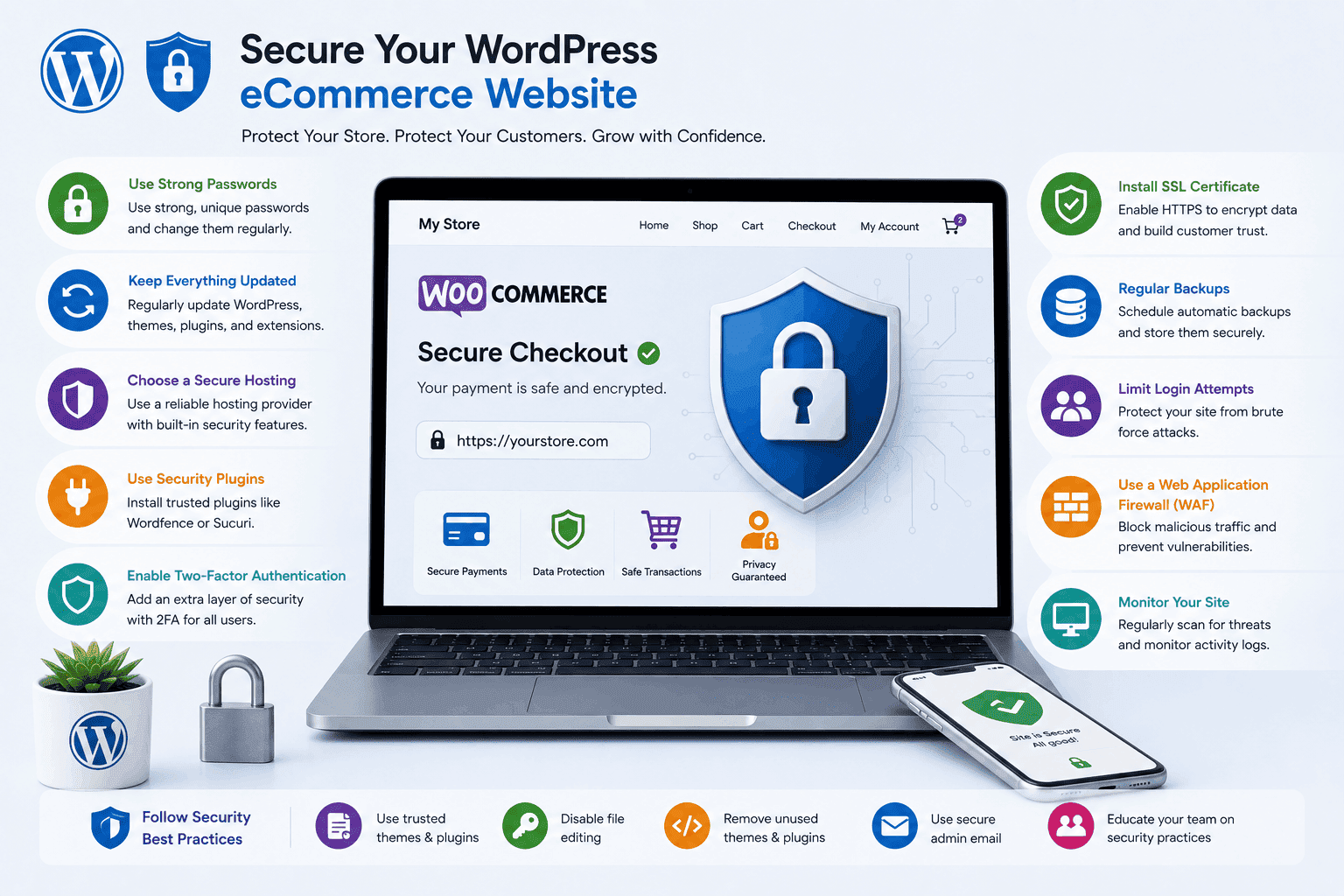
How to Secure a WordPress eCommerce Website
Running an eCommerce website involves much more than displaying products and processing orders. Customers trust online stores with sensitive information such as personal details, payment data, and shipping addresses. If a website becomes vulnerable to cyber threats, that trust can disappear quickly. For businesses using WordPress, website security should be considered a top priority rather than an optional task.
WordPress powers millions of websites worldwide, including a large number of online stores. Its popularity makes it a frequent target for hackers who look for weaknesses in outdated software, poorly configured settings, or insecure plugins. While WordPress itself is highly secure when maintained properly, store owners must actively protect their websites from potential threats.
A secure WordPress eCommerce website helps protect customer data, maintain business reputation, improve search engine rankings, and prevent costly downtime. By implementing the right security practices, businesses can create a safe shopping environment that supports long-term growth and customer confidence.
Why Security Matters for WordPress eCommerce Websites
Security is directly connected to customer trust and business success. When visitors enter payment information on an online store, they expect their data to remain protected. Any security breach can lead to financial losses, legal issues, and damage to brand reputation.
Cybercriminals often target eCommerce websites because they contain valuable customer information. Even small online stores can become targets if security measures are weak. Attackers may attempt to steal customer records, install malware, redirect traffic, or gain unauthorized access to the website.
Search engines also pay attention to website security. A hacked website may be flagged as unsafe, causing rankings to drop significantly. Recovering from such damage can take weeks or even months, affecting sales and customer acquisition efforts.
In today’s competitive digital marketplace, security is no longer just an IT concern. It is a business requirement that influences customer confidence, operational stability, and long-term profitability.
Keep WordPress Core Updated
One of the simplest and most effective security measures is keeping WordPress updated. Every update includes improvements, bug fixes, and security patches that address newly discovered vulnerabilities.
Hackers frequently target websites running outdated versions of WordPress because known security flaws are easier to exploit. Delaying updates can create unnecessary risks for online stores handling customer transactions.
Business owners should regularly check for WordPress updates and apply them as soon as possible. Testing updates on a staging environment before deploying them to the live store can reduce the risk of compatibility issues.
Consistent updates help ensure that the website remains protected against evolving cyber threats while maintaining optimal performance and stability. Businesses looking for professional assistance can explore WordPress development services to keep their websites secure and updated.

Choose Secure and Reliable Hosting
Website hosting plays a critical role in protecting WooCommerce stores from security threats. A secure hosting provider adds an important layer of defense by blocking attacks at the server level before they reach the website. This helps ensure a safer and more stable online environment.
Reliable hosting services also offer advanced security features such as malware scanning, firewall protection, server monitoring, and automatic backups. These tools work together to safeguard website data and maintain consistent performance. Regular security updates further strengthen protection against vulnerabilities.
- Server-level firewall protection
- Malware scanning and detection
- Automatic backups and recovery
- Continuous server monitoring
Choosing hosting based only on low cost can expose websites to serious risks. Budget hosting often lacks essential security features required for eCommerce stores. Investing in quality hosting improves security, speed, uptime, and overall customer experience.
Use SSL Certificates and HTTPS
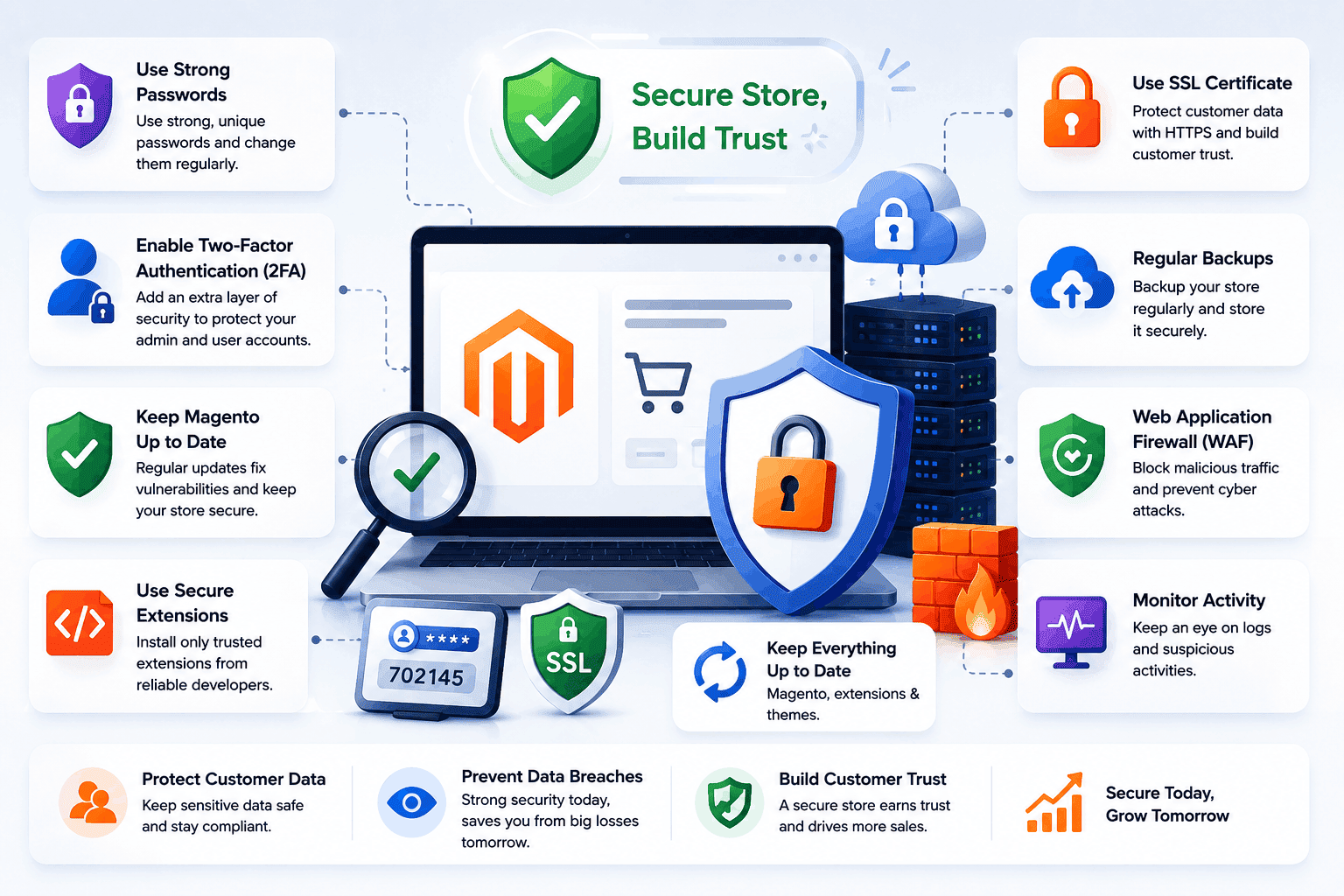
An SSL certificate encrypts data exchanged between the website and its visitors. This encryption protects sensitive information such as login credentials, payment details, and customer information.
When a website uses HTTPS instead of HTTP, customers can see the padlock icon in their browser. This visual indicator helps build trust and assures users that their information is being transmitted securely.
Most modern hosting providers offer SSL certificates, and many provide them free of charge. Installing and maintaining SSL protection should be considered mandatory for every WordPress eCommerce website.
Search engines also favor HTTPS-enabled websites, making SSL implementation beneficial for both security and SEO performance. Website owners can learn more about HTTPS standards through MDN Web Docs.

Strengthening WooCommerce Login Security with 2FA and Strong Passwords
Login security is one of the most critical aspects of protecting a WooCommerce store. Weak or reused passwords are often exploited through brute-force attacks, making accounts vulnerable to unauthorized access. Strengthening authentication is essential for maintaining store safety.
Businesses should enforce strong password policies that require a mix of uppercase and lowercase letters, numbers, and special characters. Each account should use a unique password that is changed regularly. Using password managers can help teams securely store and manage complex credentials without inconvenience.
Best Practices for Strong WooCommerce Login Security
- Use strong and unique passwords for all users
- Avoid common or reused password patterns
- Encourage regular password updates
- Use password managers for secure storage
Two-factor authentication (2FA) adds an additional layer of protection beyond passwords. Even if login credentials are compromised, attackers cannot access accounts without a second verification step such as a mobile code or authentication app. Many WordPress security plugins make it easy to enable 2FA for different user roles.
Implementing both strong passwords and two-factor authentication significantly reduces the risk of unauthorized access. These combined security practices provide a robust defense system that protects sensitive store data and ensures safer WooCommerce operations.
Install Trusted Security Plugins
Security plugins help monitor, detect, and prevent threats targeting WordPress websites. They provide valuable protection against malware, unauthorized access, and suspicious activity. These tools enhance overall website security and ensure continuous protection with minimal manual effort.
Important Security Plugin Features
- Firewall protection
- Malware scanning
- Login attempt monitoring
- File integrity checking
- Security alerts
Selecting reputable and regularly updated security plugins is essential. Businesses should avoid installing unknown or poorly maintained plugins that may introduce additional vulnerabilities.
A good security plugin acts as a continuous monitoring system that helps identify and address potential issues before they become serious problems.
Keep Themes and Plugins Updated
Themes and plugins expand website functionality, but they can also create security risks if not maintained properly. Outdated extensions often contain vulnerabilities that hackers actively exploit. Regular maintenance ensures better security and stable performance.
Store owners should regularly review installed plugins and themes to ensure they remain updated. Any extension that is no longer supported by its developer should be replaced with a secure alternative. This helps maintain compatibility and reduces security risks.
Unused plugins and themes should be removed entirely rather than simply deactivated. Inactive software can still become a target for attackers. Removing unnecessary files also improves website performance and reduces clutter.
Maintaining updated themes and plugins reduces security risks while ensuring compatibility with the latest WordPress versions. It also helps improve website speed, stability, and overall user experience.

Limit User Access and Permissions
Not every employee needs full administrative access to a website. Assigning excessive permissions increases the risk of accidental mistakes and security incidents. WordPress offers multiple user roles with varying levels of access. Businesses should grant users only the permissions required for their specific responsibilities.
Common User Role Practices
- Administrators for full website management
- Editors for content publishing
- Shop managers for store operations
- Authors for content creation
- Subscribers for customer accounts
Applying the principle of least privilege helps reduce exposure to both internal and external security threats.
Backup and Malware Protection for WooCommerce Security
A strong security strategy for WooCommerce stores includes both regular backups and proactive malware protection. Backups act as a safety net, ensuring that websites can be quickly restored in case of hacking, data loss, or technical failure. This helps maintain business continuity with minimal downtime.
Automated backup systems are essential for protecting critical website data, including files, databases, customer information, and product records. High-traffic stores should schedule frequent backups to reduce the risk of data loss. Storing backups in secure offsite or cloud locations adds an extra layer of protection.
Essential WooCommerce Backup & Malware Protection Practices
- Schedule regular automated backups
- Store backups in secure offsite/cloud locations
- Include files, databases, and customer data
- Maintain multiple backup copies for safety
Along with backups, malware protection plays a key role in securing WooCommerce stores. Malware can compromise data, disrupt website functionality, and harm SEO performance. Regular security scans help detect threats early and prevent major damage.
Businesses should also educate team members about phishing attempts and unsafe downloads that may introduce vulnerabilities. Combining reliable backups with continuous malware monitoring ensures strong protection, faster recovery, and improved customer trust.
Monitor Website Activity
Continuous monitoring allows businesses to identify unusual behavior before it develops into a serious security incident. Monitoring tools track login attempts, file changes, user actions, and traffic patterns. This helps maintain real-time visibility of website activity and potential risks.
Unexpected spikes in traffic, repeated failed login attempts, or unauthorized file modifications may indicate a potential attack. Early detection gives administrators more time to respond effectively and prevent damage. Quick response is key to minimizing security threats.
Activity logs also provide valuable information during security investigations. Understanding what happened and when it occurred helps identify the source of issues. This information is useful for strengthening future security measures.
Ongoing monitoring supports proactive security management and improves overall website protection. It ensures better control, faster response times, and stronger defense against evolving cyber threats.
Key Factors for WordPress eCommerce Security
Businesses that consistently focus on these areas create a much stronger defense against modern cyber threats. These security factors work together rather than operating independently, providing layered protection. A comprehensive approach is always more effective than relying on a single solution.
- Regular software updates
- Strong authentication practices
- Secure hosting infrastructure
- Malware protection
- Firewall implementation
Organizations that prioritize these factors are better positioned to maintain customer trust and business continuity.
Common Security Mistakes to Avoid
Many security incidents occur because of avoidable mistakes rather than sophisticated attacks. Understanding these errors can help businesses strengthen their defenses and proactively reduce vulnerabilities before they are exploited.
- Using weak passwords
- Ignoring software updates
- Installing untrusted plugins
- Granting excessive user permissions
- Neglecting security monitoring
Even a small oversight can create vulnerabilities that attackers exploit. Regular security reviews help identify and correct weaknesses before problems arise.
Business owners should establish clear security procedures and ensure that all team members understand their responsibilities. Following recommendations from OWASP Security Guidelines can further strengthen website protection.
The Future of WordPress eCommerce Security
Cybersecurity continues to evolve as attackers develop new methods and technologies. Future security strategies will increasingly rely on automation, artificial intelligence, and advanced threat detection systems.
Modern security tools are becoming more proactive, identifying suspicious activity before damage occurs. Machine learning technologies can analyze user behavior and detect anomalies that may indicate attacks.
Privacy regulations and customer expectations will also influence security practices. Businesses will need to demonstrate stronger commitments to data protection and transparency. This will help build customer trust and ensure compliance with evolving legal standards.
As eCommerce grows, security will become an even more important competitive advantage. Companies that invest in protection today will be better prepared for future challenges. Strong security practices will also support long-term business growth and stability.
Conclusion
Securing a WordPress eCommerce website is essential for protecting customer data, maintaining business credibility, and ensuring uninterrupted operations. From choosing secure hosting and implementing SSL certificates to enabling two-factor authentication and maintaining regular backups, every security measure contributes to a safer online shopping experience.
Website security is not a one-time task but an ongoing commitment. Businesses that consistently monitor, update, and improve their security practices can reduce risks, strengthen customer trust, and create a reliable foundation for long-term eCommerce success.